Learn about what's been happening in our school library. We're working to strongly encourage literacy, media literacy, and creating upright digital citizens through fun workshops and library activities.
Showing posts with label digital citizenship. Show all posts
Showing posts with label digital citizenship. Show all posts
Here is a slides lesson to help students understand the risks of sexting, sending nude photos and videos, and Omegle. To view the slides in full screen, click the 3 dots and hit ‘enter full screen’.
Here is a workshop that can be used from grade 1 to grade 4. We will talk about some of the most important ways we can stay safe and kind online while gaming.
If you are the parent of an elementary aged student there is a pretty good chance your kids are on Roblox. Roblox is an online game or app in which players from around the world converge in different games that are created by its own users or professional game development groups. Some games, such as Adopt Me! get a lot more play than others. On October 10, 2020, Adopt Me! reached 1,786,076 concurrent players (data from the Roblox Wikia) and these popular games require multiple servers to accommodate the amount of players on the game. Players gain Robux game currency by overcoming challenges or accomplishing tasks and this money allows them to buy new clothes and faces for their avatars, new houses, new vehicles, new pets, etc… Parents can also connect a credit card to the players account so that kids can buy Robux. Kids quickly get hooked on these games and on making purchases.
So let’s talk about some of the pros and cons of the Roblox revolution.
Pros
These games allow friends to connect in what is essentially an online playground. That means that during a pandemic when kids aren’t having playdates in the real world, they can play together in the Roblox world. There is a chat feature that allows kids to chat with their friends (or anyone else in that game on that server), but I have noticed that most kids put their friends on Facetime or in a Google Meet and then play together. This allows them to talk to each other while they play which makes them feel like they are hanging out.
The game allows ample room for creativity. Kids can design their own Roblox games which is an amazing feature. They decide the rules for their game (villains, time limits, the world it is in, music, reward system, etc…) The sky is the limit in terms of game design.
They learn how to earn money by accomplishing tasks just like they do in the real world with chores!
You can easily set up a chore/Robux reward system at home. For example, if your child makes their bed and cleans their room each day, they earn a certain amount of Robux at the end of the week that you pay for. I use this system for my own daughter and it is amazing how easy it is to get her to clean her room now!
Cons
Kids enjoyment of Roblox very rapidly turns into an addiction. Managing screen time becomes of the utmost importance as it can quickly spiral out of control with this game. Many of the games that are the most popular simply never end, so play can go on indefinitely.
Some of the games have scary or violent themes involving horror movie characters or shooting. You may want to dictate which Roblox games you approve of and which ones you don’t. There is a parental control setting that allows you to choose the games you want to allow.
Kids can chat with strangers. This can be turned off by parents in the parental control settings or parents can choose to regularly check your child’s chat history by logging in. The only thing I will say in defense of the chat feature though is that it is monitored by Roblox so kids aren’t allowed to swear, say anything suggestive, say anything political or religious, etc… Kids who violate the rules are banned from the game. However, by the time they get banned the damage may have been done, so be aware that it is always a possibility.
If you want to raise a voracious consumer with a deeply ingrained love of capitalism then this is the game for you. Kids will constantly need more and more Robux to be happy and will bug you for them all the time!
Each parent will have different opinions as to why or why they do not allow their kids to play Roblox. I allow my 9-year old daughter to play because it is a great way for her to connect with friends during lockdowns and Robux are a great incentive for her to do her chores every day without being asked. But it is highly addictive and has caused its fair share of arguments about screen time. So I have personally experienced many of these pros and cons!
If your kids are playing Roblox regularly I would encourage you to stay in the loop. Find out what games they are playing on Roblox, who they chat with regularly, and make sure that you need to approve any and all in-app purchases so they can’t be automatically charging your credit card. Sit with them and watch them play for a while. Most kids will love to share about these games with you. Open communication with your kids about their online lives is the best way to keep your kids safe online.
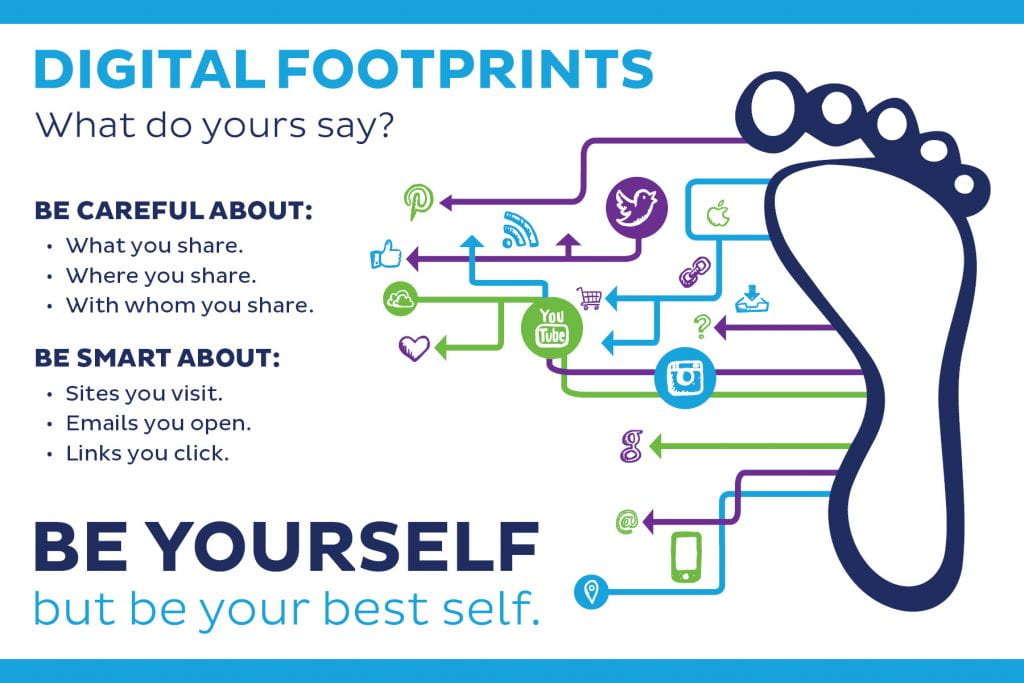
I have created a new Nearpod lesson that can be used anywhere from grade 4 to grade 8 in which we will learn about Digital Footprints. Digital Footprints are the tracks you leave all over the internet every time you go online. Any time you visit a website, leave a comment, post a picture, create a post on social media, post a video on youtube, participate in online chats, etc… you are leaving behind a digital footprint. It is extremely important to be aware of this because these footprints are permanent and searchable. In this Nearpod lesson you will participate in polls, quizzes, and a game of ‘Time to Climb’ to learn about this topic.
If you aren’t a Nearpod user, here is more on the topic of Digital Footprints;
Let’s watch this little video about Digital Footprints created by Common Sense Education.
It may seem impossible to believe but 15 years from now a future employer may be Googling your name and finding the mean comments you left all over YouTube, or the crazy photos you posted on social media, and thinking you may not be the best person to hire for a job! More importantly for today though, the things you are posting now will find their way back to parents and teachers. Here are some tips from safesitter.org to making sure that the tracks we leave online are the good kind!
So let’s think about some places online we need to be extra careful…
Game Chats
Never share private information like your address, full name, school, phone number, or email in a game chat.
Don’t make rude or mean comments in a game chat. Not only will it get you banned from the game, it will be permanently logged.
YouTube, TikTok, and Social Media Comments
The comments you post online should be supportive and kind. Hurtful comments can never be erased, even if you delete the post. It is very easy for others to screenshot and share the things you’ve posted.
The Sites You Visit
Make sure you are visiting sites that are appropriate and approved by parents and teachers. Every site you visit shows up in your Search History and can be seen by parents and school administrators.
Your Messenger Chats
Most parent-approved texting apps like Messenger Kids allow parents to see every chat. Other chat apps allow friends and family to screenshot and save messages. So be aware of the kinds of photos and messages you are texting with others. What you say today may be online forever.
Your Social Media and Blog Posts
Make sure that all of the videos, photos and posts you put online are ones you’d be happy to share forevermore, because that is how long they will be searchable online!
Never post pictures of your friends without their permission.
Make sure you have parental permission to be posting certain kinds of posts on the internet.
You might have heard that there are some very commonly used passwords that you should never use because they are very easy for hackers to figure out. Passwords we should never use include;
your pet’s name
your own name
your siblings name
your birthday
your street name
password
123456
abc123
iloveyou
princess
dragon
But how do we create a strong password and keep them safe? This video slideshow will help you learn some easy tricks to creating and protecting your passwords.
Activity
We are going to learn how to create a super strong password by playing the game Password Protect on the Common Sense Education website. Remember, when you are finished, don’t share your super strong password with anyone except for your parents or teachers!
As a part of my professional development this year, I had the goal of using Nearpod to create lessons that could reach students that I could not see in person. I wanted to start by creating lessons that would cover essential research skills and then move them on to working on digital citizenship and media literacy. To that end I created four lessons to date that work to engage students and allow them to practice new skills along the way.
Research Skills
The first one that I created was Using Keywords. The goal here was to teach students how internet search works, how to search effectively using concise keywords, and to give students a chance to try it out for themselves. They also learned how generate keywords for much larger search questions. And finally, I present them with many kid-friendly research sources. This workshop can be used from grades 4-8 but is specifically for our 4-6s.
The second lesson I created is called In-Text Citations and Bibliographiesand was designed specifically for middle school. Upon entering middle school, citations and bibliographies take on a new level of importance. This lesson explains to students how critical citations and bibliographies are in avoiding plagiarism. It demonstrates through a tutorial how to use the citation and bibliography creation tool in Google Docs and it also allows students the opportunity to practice these skills with built-in assignments.
Digital Citizenship and Media Literacy
This lesson on cyberbullying was designed for our 4-6s. It is a quick lesson on what cyberbullying is and the different forms it takes, how to stop bullies who are bothering you, and how to be an upstander. This lesson is based more on discussion and collaborative boards than assignments.
And finally, the lesson that I am most proud of and the one that is the culmination of years of running my library workshops is my Nearpod lesson on Information Credibility. This covers a broad range of topics and is meant to give students a comprehensive knowledge of different forms of misinformation. It includes several built-in assignments and is a much longer lesson that could cover two periods or more.
It is my hope that these lesson become a valuable resource to our teachers and can be used year after year. It is also my hope that they can be used in other schools to facilitate teaching these key skills. I am looking to solicit feedback from any teacher who uses these lesson with their classes. Please post your feedback in the comments here or send me an email b.ruel@theojcs.ca
This year the OJCS Reading Challenge is designed to make reading fun, encourage our students to reach for new reading goals, and to teach digital citizenship while connecting globally.
We will be getting students to participate in the class creation of tweets, instagram posts, youtube videos or tik tok videos (whatever social media formats the teacher prefers, the accounts are owned and regulated by the teacher and are professional (not personal) accounts). These posts will share their class reading goals and accomplishments in fun and creative ways. The class will then check those posts regularly for likes and words of encouragement from around the globe. They may even be able to connect with other schools participating in their own reading challenge. Students will also use their blogs as a place to post book reviews and to blog about their personal reading goals. They can even embed or link the class social media posts directly to their blogs!
Class goals could include a certain number of books read by the class each week or each month, a certain number of books of a specific genre or a variety of genres read, etc… These goals are determined by the teacher or decided as a class and can change week to week or month to month.
Students love being online, so this is a way for them to practice their digital citizenship with post creation (spelling, hashtags, using photos and videos in posts) and take pride in their reading accomplishments, as well as get global props and encouragement.
The end-of-year prize is a classroom movie party for each class that participated regularly. The library will provide popcorn and candy for each class.
Everyone is going to get a sheet of paper and on one side you are going to write down all of the things you do plugged in (online) and on the other side, all of the things you do unplugged (offline.) It will look a little something like this…
Once you have finished, I want you to fold this piece of paper in half.
What would your lives look like if you only got to do the things on one side of the paper?
Living our lives mainly online…
Let’s start with the plugged side. If we spent our entire day online and did little else, how would we feel? Discuss with your class NOW!
After the discussion… 7 hours of Roblox or YouTube might sound great, but in reality, making media choices like this can lead us to feel tired, frustrated, headachy, and sick!
Living our lives completely offline…
Now what if we only had the unplugged side? Would we be completely happy? Is there anything we would miss? Discuss with your class NOW!
After the discussion… It is okay to enjoy being online! We get to chat on Facetime, play awesome games, and watch fun videos.
Let’s Aim for Media Balance
Media Balance is making sure that the time we spend online allows lots of room for the other awesome things in life. This makes us all feel healthier and happier.
Being Unplugged means more time for colouring! Here is a cute colouring page!
Lower Grades Digital Citizenship Lesson for the week of June 1st
When friends or classmates are mean at school, we know what that looks like…
making fun of how you look or what you wear
not letting you play with them
spreading rumours or lies about you that aren’t true
sharing personal information about you (gossip) to hurt your feelings or embarass you
insult you for how good or not good you are at something
We also know how bad that kind of meanness makes us feel…
Even though the internet can be a super fun place to spend our time, the same kind of meanness and bullying can happen when we are there too. CYBERBULLYING is what you call bullying or meanness that is online.
The way it looks online is…
being mean to other players in a video game
posting rude comments on other people’s webpages, photos, or videos
posting and sharing embarrassing or mean photos of someone online
excluding someone from participating online
These things make us feel just like we did with real life bullying…
Sometimes people are meaner online than in real life, because if you were with the person in real life, they would be able to see how bad you felt about their behaviour. Online they aren’t seeing how you are reacting to what you they are saying (example crying), and that makes people think less about the impact of what they are doing.
Here is a short video that shows an example of cyberbullying and what you can do about it.
In the video the girl talks to her parents who talks to her teachers and they put an end to the cyberbullying. It is really important to tell a trusted adult about cyberbullying if it is happening to you. They can help you to figure out what to do about it and how to stop it.
Another way to be a great digital citizen online is to stand up to cyberbullying when you see it happening to someone else. This is called being an UPSTANDER. Tell your friend who is being bullied how great you think they are. Tell the bully that mean comments are unwelcome. Or tell a trusted adult about your friend being bullied.
And finally, there are buttons on websites that say BLOCK and REPORT ABUSE.
BLOCK means that you have the ability to block somebody from being able to see or comment on your account.
REPORT ABUSE is a way to tell the website or game owner that someone is misbehaving on the site.
Never use these buttons as a joke because they are permanent and can’t be undone.
Now you know how you can stand up to cyberbullying and be a great digital citizen.
YOUR ASSIGNMENT:
In the comments on this page, write about a time that you experienced cyberbullying or saw it happen to someone else. If you haven’t seen examples of this, write about one thing you will do if it happens to you or to a friend.
Whenever you visit a new site, you will most often get a message notifying you that the site uses cookies. Sometimes it will give you an option to choose to continue with cookies or not. You may have felt very confused about what a cookie was… is it a good thing or a bad thing? Could it harm my computer or device?
Or maybe you were talking about something with your device near at hand, and then noticed an ad for something connected to what you were talking about an hour later. Coincidence? Not at all. This video explains how and why this happens, and what exactly a cookie is.
Your Assignment:
After watching the video, I want you to pair up with a friend who you share often with on social media. Imagine you are trying to collect data from each other’s information to target them with ads. What can you find out about your friend that would help you target products to them? Example: I notice that my friend is always posting photos of her dog online. If I were an advertiser, I would target her with ads for fancy dog toys, furniture, and biscuits. She often comments about how much she misses her family in Israel. I would target her with ads for chat products like Houseparty, Zoom, etc… See how many you can come up with. Write them in a Google Doc and submit to b.ruel@theojcs.ca
By now you are all amazing digital citizens when you’re online; you protect your private information, you don’t post mean comments on other people’s blogs, photos, or videos. You are careful about the websites you visit and you balance your time online. Now let me ask you this…
Do you remember to be a good digital citizen while you’re gaming?
What I mean by that is, when you are playing a game online like Roblox, Fortnite, or other games where you interact with other players online, are you remembering your online safety and digital citizenship rules?
Scenario 1:
You are playing a game in which players can chat with one another and you make a new friend. This friend starts asking you personal questions like ‘what school do you go to?’ and ‘what’s your address?’
What do you do?
Answer: It is great to make new friends online, but we still need to make sure and always protect our personal information. Don’t tell strangers where you live, what school you go to, personal passwords, your full name, etc… It is never safe to share this kind of information online.
Scenario 2:
During a game you notice one character won’t leave you alone. They are continuously attacking your player or making rude comments to you in chat. You really want to be mean back but you are afraid to get reported and blocked.
What do you do?
Answer: Don’t retaliate (i.e. be rude back.) Just report the players behaviour to the game and show your parents or teachers. These kind of players will end up getting blocked (kicked-out permanently) from the game. Better them and not you. After reporting them, log out for a while and try again later.
Scenario 3:
You have been playing a game for over an hour and you still can’t beat a certain level. You notice your anger level spiking really high. Your little brother keeps coming in your room and distracting you and you want to yell at him because it’s his fault you can’t beat the level.
What do you do?
Answer: It is important that we notice how our emotions are being affected by the games we are playing. If we are starting to feel angry, frustrated, rageful, and irritated, that is an indication that you have played long enough. That is your body’s way of telling you you’ve had enough screen time. Turn off the device and go outside to play if you can. Nothing clears away those bad feelings faster than fresh air. And bring your little brother with you to play! He was only bothering you because he wanted a bit of attention too! When next you play the game you will be playing with a clear head and have a much better chance of beating that level.
Here is a video where you can see some of these online scenarios in play.
Your assignment:
Play a video game (Yes, you heard right. Make sure you have permission of course!) While you play, notice and write down a few examples of some of the positive and some of the negative interactions you have with other players. If your game doesn’t involve other players online, just write down some positive or negative feelings you experience while playing (having fun, getting frustrated, fighting with your brother etc…) Then you will post your observations in the comments on this page. It will be interesting to see what we all experience.
Middle School Phishing Lesson for the week of May 4th
You may have heard the word phishing in relation to online safety and wondered what it meant. Imagine that YOUR PERSONAL INFORMATION is the fish these phishers are fishing for. Your phone number, address, financial information, passwords, etc… Phishers are online scammers who are trying to get you to provide them with your personal information so that they can use your identity and/or get financial information from you.
A few common examples of phishing scams are;
emails from people you don’t know, saying that you’ve won something you didn’t try to win, or saying that something is wrong and you need to immediately provide them with information or something bad could happen
a pop-up link saying you have a virus and need to provide information to get rid of it
a pop-up link offering you something for free if you do a survey
It is important that we learn to recognize these scams so that we keep our own and our parents personal information safe. Never respond to these kind of links or emails and report them when possible. And when in doubt, show them to a parent or teacher to find out if it’s real or not.
I want you to watch this video and then post in the comments if any of these phishing scams has ever happened to you or someone in your family and what it looked like.
Share information about phishing scams with parents, grandparents, and friends so that everyone can protect their identity online.
Last week we tried a new technique called ‘Lateral Reading’ to help us become better fact-checkers. This week we are going to learn about various websites that are out there that can help us find out if what we have heard or read is factual or not.
I have heard that there is a Tic Toc video going around that claims that an asteroid is going to hit Earth next week. I want you to visit snopes and find out if this is true or not. I mean, this is a serious claim! Our lives may be in jeopardy (or not!)
In the comments on this page, I want you to post which three sites you explored as well as what you discovered about this asteroid.
Lower School Digital Citizenship Lesson Week of March 16th
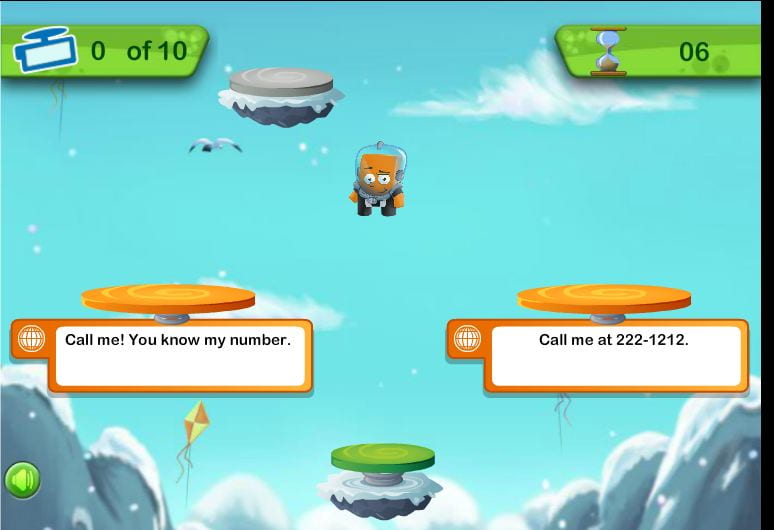
Everyone enjoys connecting with others online (especially when we are all stuck at home!) This game is perfect for all of us right now because in a simple and clear way, it explains what kinds of information is okay to share online and what kind of information isn't. The only way to get your jumper higher and higher is to make the right choices about what is okay to post online. If you make a wrong choice you get sent back down!
Make sure you read each question carefully. It will help you to make the correct choices. THIS GAME IS NOT COMPATIBLE WITH IPADS OR OTHER TOUCH SCREENS. Now have fun!!
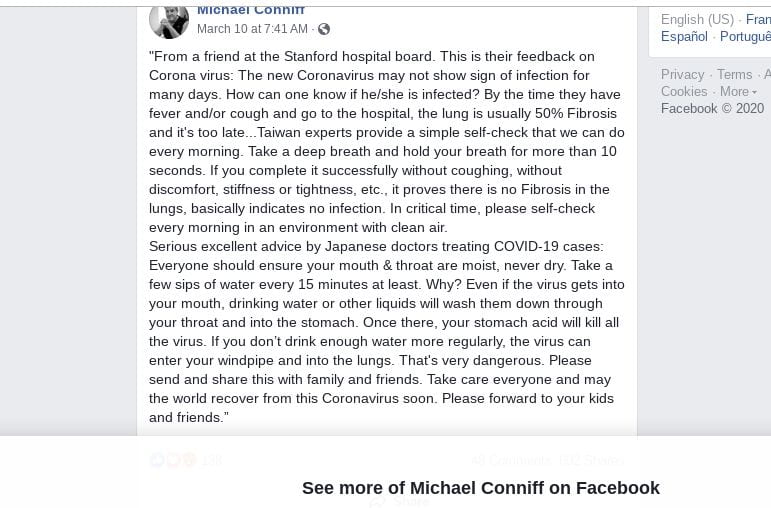
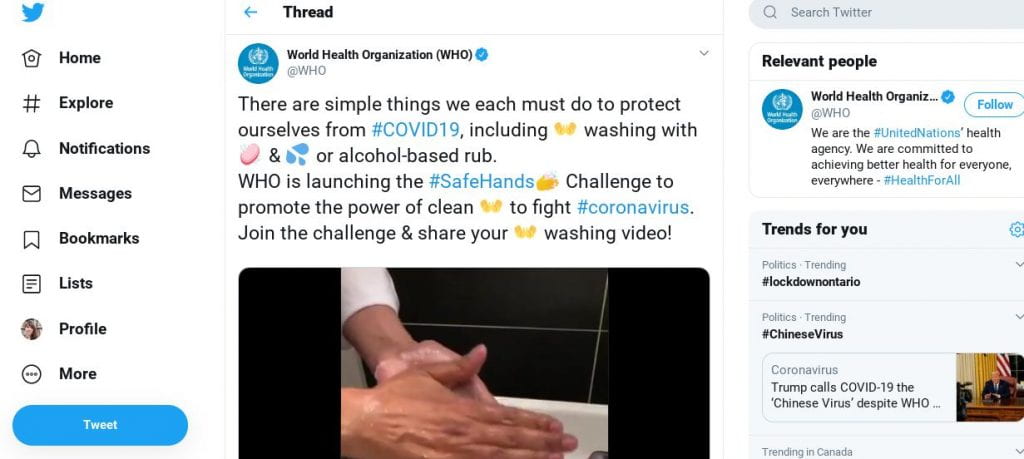
There is a constant stream of misinformation and disinformation out there about a lot of world news and this is especially true about the Coronavirus. Misinformation is false or inaccurate information that is often posted deliberately to deceive. Disinformation is false information put out through certain politicians or governments to deliberately deceive. Unfortunately, both misinformation and disinformation are frequently accepted as truth and widely shared by people who have believed what they've read without looking further afield for confirmation of the information. As the false information spreads, it causes a lot of very confused ideas and can even wrongly influence public opinion. It is in itself very much like a virus that spreads and infects the mind. By becoming a fact-checker you can help stop the spread of the disease of misinformation! The first step to becoming a fact-checker is to use your head! Critical thinking is an essential skill of the fact-checker. If something doesn't sound right to you, it very often isn't. That feeling that something you've read is off should be the first indicator that you need to research further. Researching outside of the suspected piece of information is called 'Lateral Reading'. To read laterally, the first thing you can do is use Google or another trusted search engine to search for information about your source or the author of the information. Searching about your source can often reveal within seconds if the source is trustworthy or not. But when it comes to social media, often the person responsible for posting is just a regular person and there won't be information available about that person online. So the second way you can read laterally is to search for more articles about the information you suspect to be false. So when someone told me that Justin Bieber was so dumb he didn't know how to eat a burrito properly and was photographed eating it sideways, I thought, hmmmm, that doesn't sound right to me. I typed Justin Bieber Burrito into the Google search bar, and the first article was about how the photo was a hoax. Another example of this is that I received an email suggesting that I stay away from spicy food to avoid the Coronavirus. I immediately thought that sounded wrong and did a quick Google search Coronavirus Spicy Food. The first article was about how that information was completely false. So now is your opportunity to try lateral reading. Here are three social media posts that are either misinformation or are real information. Step 1: Look at all of these social media posts. Which ones immediately seem off to you and why? Which one do you immediately trust and why? Step 2: Do some lateral reading. How long did it take you to determine how true or false this information was? Step 3: Answer step 1 and 2 questions as a brief comment on this blog post page. Step 4: Teach your parents and grandparents how to do this too! That way we can all fight the virus of misinformation! Post #1 - From the account of Facebook user Michael Conniff
Post #2 from the Twitter verified (blue checkmark) World Health Organization account
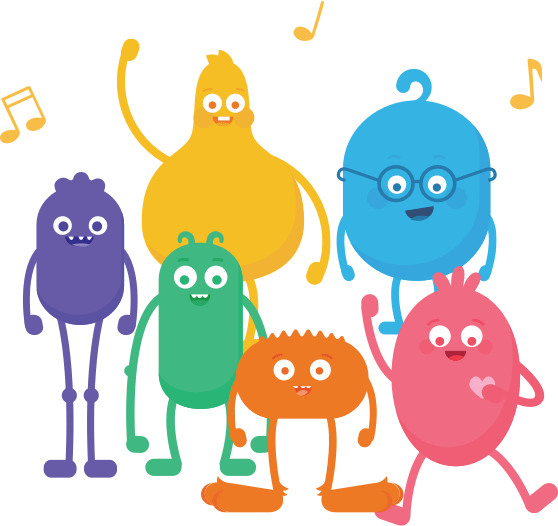
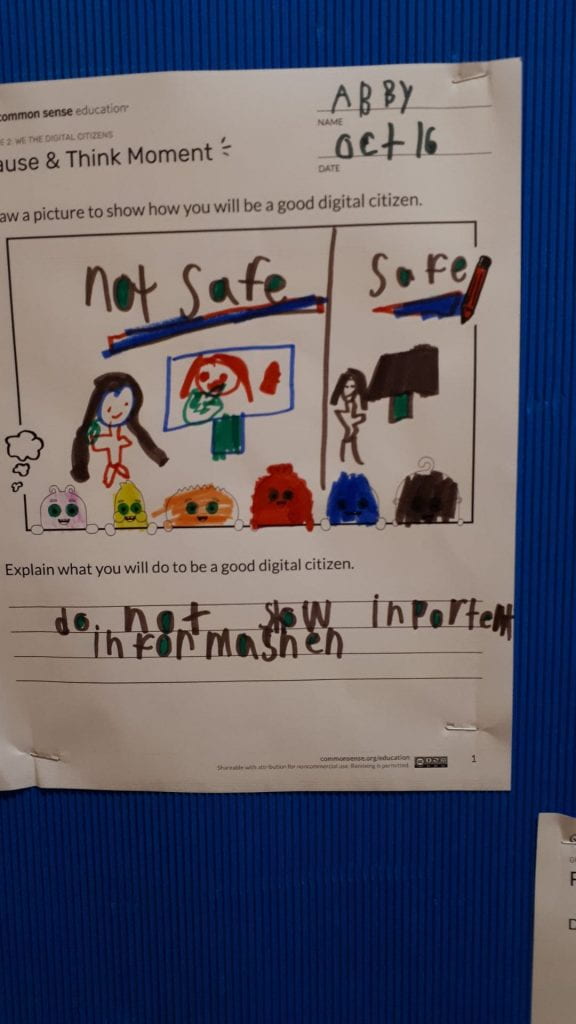
Our grade two class got to meet some fun friends today, the super cute Common Sense Media Digital Citizens!
Each one represents a different aspect of digital citizenship;
Arms: Use your arms when you're online to balance your time.
Guts: Listen to your gut to stay safe online.
Feet: Use your feet carefully when leaving tracks online.
Legs: Use your legs to stand up to bullies online.
Heart: Use your heart to be kind and respectful online.
Head: Use your head to ask questions about what you see online.
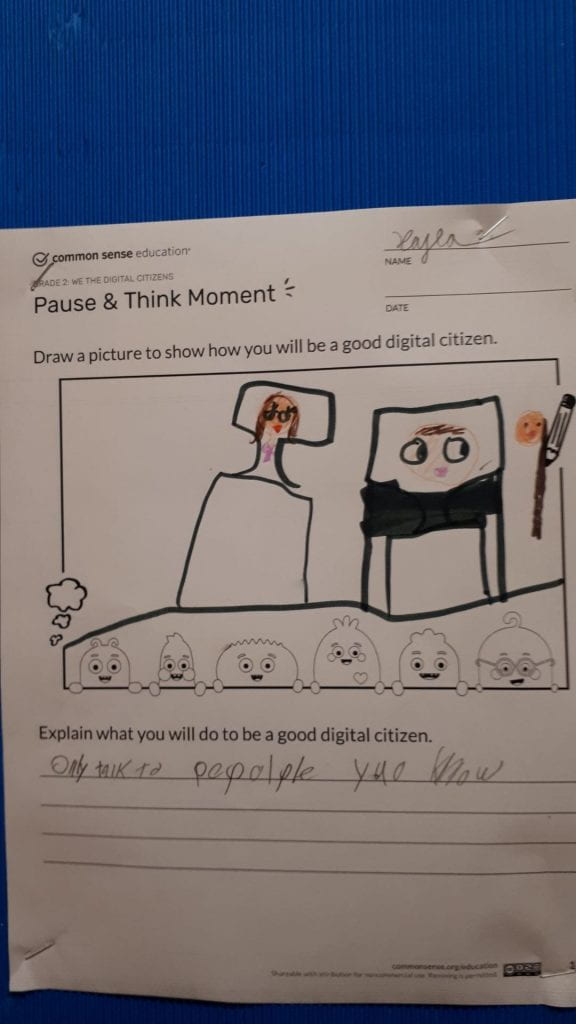
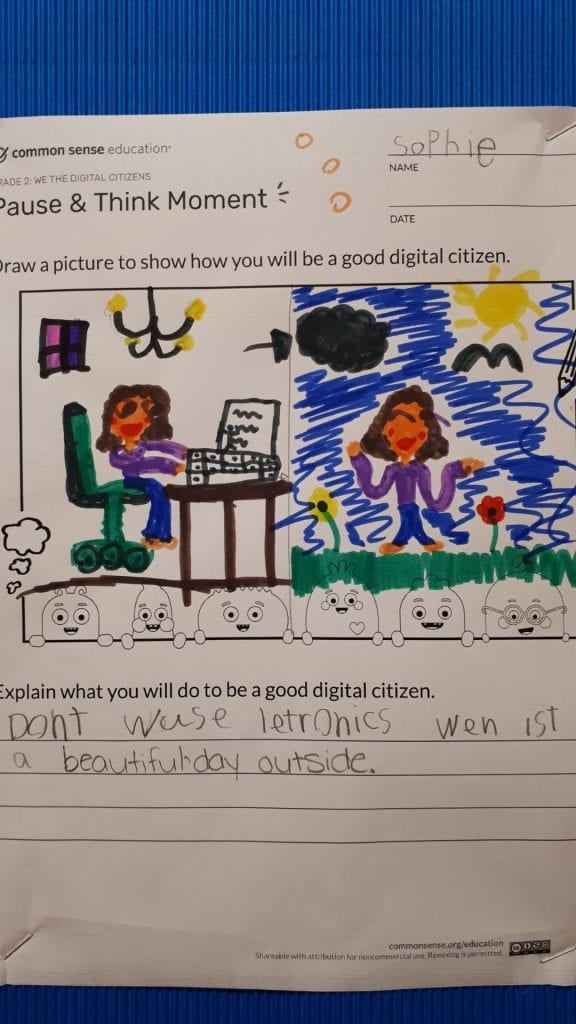
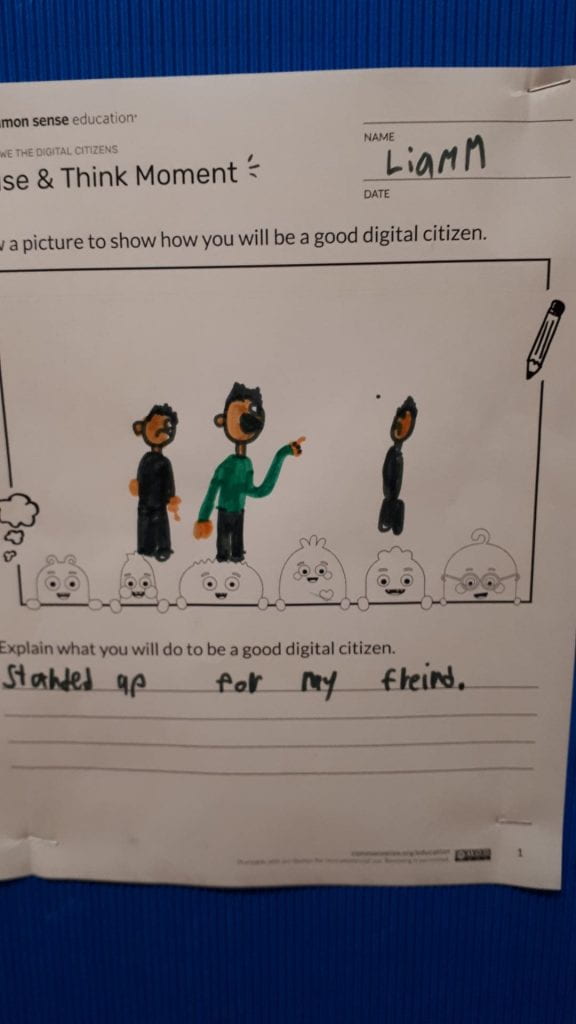
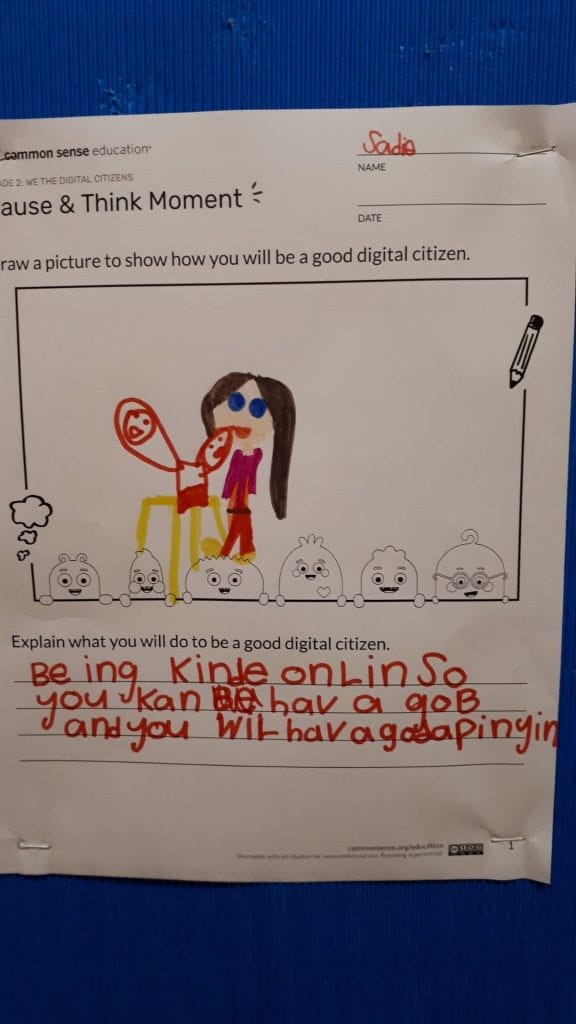
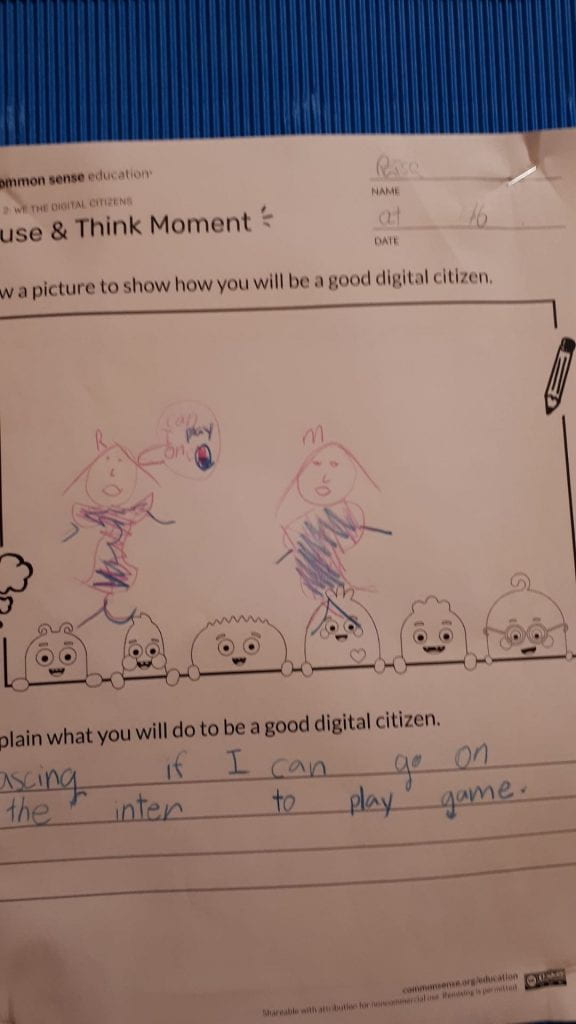
Our students listened to the song we discussed what they think the song was about and they gave examples of their own experiences. They then drew a picture to represent how they can be good digital citizens.
Today students were introduced to the concept of a Digital Footprint. We used the example of tracks left by animals and how we can use our own deductive capabilities to infer quite a lot about an animal based on its tracks.
The same is true for us when we go online. The sites we visit, the comments we post, the videos we upload, the games we play, all of those things create a digital footprint that can tell people about us and will exist online for a very long time. We tied this in to the concept of responsibilities and discussed what our responsibilities are to ourselves and to others online.
Our grade 3 and 4 students came up with some of the following ideas;
Our students are getting the foundation they need to navigate the sometimes scary world of the internet in a safe and responsible way.
Grades 6, 7, and 8 visited the library this week for a lesson on the effects of social media on our personal relationships. Whether they are allowed legally to be on certain platforms or not (most require you to be at least 13), the reality is that most middle schoolers are on Snapchat, Instagram, Tic Toc, or other social media. By grade 8 social media has become completely enmeshed with daily life and plays a huge role in friend dramas. This workshop started off by having students discuss what are some benefits of social media. What they love about it. Many students mentioned their ability to connect with family and friends far away, as well as feeling like they are safe and can always get in touch with someone when they need them. Then we discussed what some of the drawbacks were that they or their friends personally experienced. This included feeling angry seeing snaps of friends out without you, feeling jealous that others have more followers, and being constantly distracted. Everyone was eager to share during these discussions.
We moved on to oversharing and how it can be harmful to post things in the heat of the moment, post things that will leave a permanent stain on your digital footprint, or post things that can even put your safety at risk. The next concept was something called 'Red Flag Feelings' and was an important concept defined as follows;
A red flag feeling is when something happens on digital media that makes you feel uncomfortable, worried, sad, or anxious. It is a warning that something might be wrong. (commonsense.org)
We discussed how to approach these bad feelings by reflecting on their cause and trying to come up with strategic ways to cope with them. We divided into four groups. Each group was given a scenario and had to identify both feelings and possible responses and then share out their answers.
I genuinely hope that they will take the tools from this lesson with them into their daily lives and can better understand their feelings when difficult situations arise. For resources on this lesson please visit common sense education.
Today I hosted two workshops, one with grade 3 and one with grade 4. Our topic was a biggie... RESPONSIBILITY. More specifically, it is about how we can become responsible digital citizens. We watched a video of a stone being dropped into still water. Through this we learned that each action and word has a ripple effect that extends from SELF to COMMUNITY to WORLD.
The class broke into three groups, self, community and world and discussed what each of those kind of responsibilities looked like. We then played a game where I read out statements such as "I only use Apps and Websites that are ok for people my age" and students had to decide which ring to physically stand in.
After that we got more practice by using a handout which asked more questions of a similar nature.
This lesson was created by the brilliant educators at common sense education. They are leaders in the field of digital citizenship education. I highly encourage teachers to take advantage of the amazing resources available on that site.
This week and next week the library is running workshops on online safety and good digital citizenship. The kids have been loving these workshops because the way they are learning these lessons is through an amazing Google game called 'Interland'. This game is designed to guide students through four levels, each dealing with a particular issue.
The worlds are;
Mindful Mountain - Share with Care - students are asked to determine who they should share certain types of information with.
Reality River - Don't Fall For Fake - this game poses questions about how to protect yourself from phishing and other scams.
Tower of Treasure - Secure Your Secrets - this level is about protecting private information and creating secure passwords
Kind Kingdom - It's Cool to Be Kind - this level is about the importance of being kind online and standing against cyber bullying
The kids enjoyed the game so much they were asking to stay over recess and continue. Our discussions before the game indicated that the children knew very little about how to protect themselves online. But they took away so much from the game that our discussion after playing it was very rich. I will be sharing this link with other grades and parents as I think this is a great tool for educating any student, not just the young ones.