Showing posts with label Research skills. Show all posts

Thursday, April 22, 2021

Reaching Students Through Nearpod

As a part of my professional development this year, I had the goal of using Nearpod to create lessons that could reach students that I could not see in person.  I wanted to start by creating lessons that would cover essential research skills and then move them on to working on digital citizenship and media literacy.  To that end I created four lessons to date that work to engage students and allow them to practice new skills along the way.

Research Skills

The first one that I created was Using Keywords.  The goal here was to teach students how internet search works, how to search effectively using concise keywords, and to give students a chance to try it out for themselves.  They also learned how generate keywords for much larger search questions.  And finally, I present them with many kid-friendly research sources.  This workshop can be used from grades 4-8 but is specifically for our 4-6s.

The second lesson I created is called In-Text Citations and Bibliographies and was designed specifically for middle school.  Upon entering middle school, citations and bibliographies take on a new level of importance.  This lesson explains to students how critical citations and bibliographies are in avoiding plagiarism.  It demonstrates through a tutorial how to use the citation and bibliography creation tool in Google Docs and it also allows students the opportunity to practice these skills with built-in assignments.

Digital Citizenship and Media Literacy

This lesson on cyberbullying was designed for our 4-6s.  It is a quick lesson on what cyberbullying is and the different forms it takes, how to stop bullies who are bothering you, and how to be an upstander.  This lesson is based more on discussion and collaborative boards than assignments.

And finally, the lesson that I am most proud of and the one that is the culmination of years of running my library workshops is my Nearpod lesson on Information Credibility.  This covers a broad range of topics and is meant to give students a comprehensive knowledge of different forms of misinformation.  It includes several built-in assignments and is a much longer lesson that could cover two periods or more.

It is my hope that these lesson become a valuable resource to our teachers and can be used year after year.  It is also my hope that they can be used in other schools to facilitate teaching these key skills.  I am looking to solicit feedback from any teacher who uses these lesson with their classes.  Please post your feedback in the comments here or send me an email b.ruel@theojcs.ca


Thursday, November 12, 2020

Ontario Cities Research Workshop With Grade 3

You are going to be starting a project on cities in Ontario.

Let’s start by looking at a non-fiction book and learning how to use them for our research.

What is non-fiction?

Table of Contents?

Index?

Now how can we search for information about our city on Google.  Let’s open up our internet browsers and find out.  We can get very specific with our keywords to find key information for our research project.  For example, if we want to answer the question what is the population of Ottawa Ontario, what could my keywords be?  What about if my questions is; what are Ottawa’s famous landmarks?  

It is really important to remember that we never need to type a long question into Google.  All you need are keywords!  Keywords help us to find the best possible sites on our topic.

What search engines can we use if we want really kid-friendly information?

https://www.kiddle.co/  – Is by far the best one in my humble opinion.

Now your project involves making a short newscast about your city.  Let’s take a minute to look at some great examples of kid-friendly news videos.

Elements of a news report…

  • Welcome everyone and introduce yourself.
  • Make sure your story contains The 5 Ws!  
  • Fill your newscast with important and interesting information.  Example, lots of key facts, interesting facts.
  • You can use video clips and photos as props to help your newscast be more visually interesting.
  • Present your ‘story’ with lots of energy and enthusiasm.
  • You can include commentary and interviews with others in your presentation.  For example, if someone has visited your city, you could include an interview with them where you find out what their favourite tourist destination in that city was, their restaurant recommendations, etc…
  • Kid-friendly news sites;

https://www.cbc.ca/kidsnews/

https://www.dogonews.com/

https://teachingkidsnews.com/

Wednesday, November 11, 2020

Research Skills Continued – Taking Great Notes


How to Take Great Notes for Our Research Project

You are going to watch a video that takes you step by step through the process of taking notes for research.

Use Your Own Words When You Take Notes

One key thing to remember however, is to never copy word for word from a website or book.

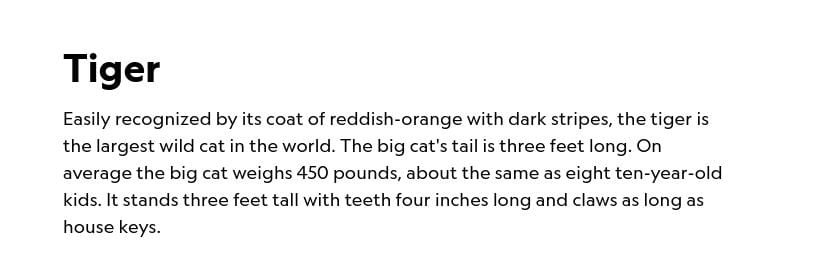
During our first research workshop I use the example of a research project I am doing on tigers.  So if this is what the website says:

The short notes on my page might look like this;

-Tigers have an orange coat with dark stripes
-Tigers weigh about 450 pounds
-It has claws as long as house keys
-It is the largest cat in the world

Notice how I didn’t just copy each sentence exactly as it was?  When you copy things exactly, that is called PLAGIARISM and it is a no-no.  We need to try to avoid copying word for word as much as we can.  The only exception is copying down a FACT.  Something that is a fact never changes.  So if it says a tiger weighs 450 pounds, that is what I need to copy down in my notes.  I can’t invent a new number!!

Putting it Together

Once you have a page of notes about your subject, you can start putting your information together in proper sentences and paragraphs without any fear of plagiarism because you wrote little notes in your own words.  Here is what some sentences based on my notes would look like.  Notice how it looks nothing like the paragraph I found online.

Tigers are the biggest cat in the world weighing in at 450 pounds.  They are orange with black stripes.  They also have claws as long as house keys.

Have fun researching your projects.  I can’t wait to read them!

Grade 2 Research Skills Live Lesson May 27th


When you are given a topic (or subject) for a research paper, what’s the first place you look for information?  How do you search?

HU if you have an answer!

Even though Google is really good at understanding what you are looking for when you type in or ask a long question, lots of websites you will search are not so good at dealing with a long sentence and too many words.  Google and other sites do not need you type a long question in order to get the most specific information for your project.  They just match the most important words in your search with the websites that best match those words.  So the key to finding the information that will be really specific to what you are looking for is keywords.  This is easy to remember, just think THE KEY IS KEYWORDS!

Keywords are the most important words in your search.  Here is an example.  I am doing a project on Tigers and I need to know how much they weigh.  Instead of typing in the question; how much do tigers weigh?  I can just type in the keywords.

How much do tigers weigh?  — KEYWORDS: Tigers Weight

Here is another example.

How many teeth does an adult tiger have?  — KEYWORDS: Tigers teeth

I get my results like magic!!

What if I just want a page of information all about Tigers?  I would type in a very easy easy keyword:  just TIGERS or TIGER FACTS.

We are all going to open up a new tab next to this meeting and try this out for ourselves using the following questions.  Try and figure out how to run your search with just TWO important keywords per question.

Example 1: My dog is digging in the backyard.  Why is it doing this?

Example 2: My friend just cheated at chess.  What are the rules?

Example 3: Who is the author of the Amulet graphic novel series?

Now sometimes to get the best keywords we need to change a word around.  For the next example, does anyone know what the word is for how much money someone makes in a year?

Example 4: How much money does Justin Trudeau make  per year?

If your essential question for your research project is a bit longer, you will need extra keywords in your search.  Here is an example of an essential question that my daughter came up with for her Genius Hour project.  In order to get great results, she will need more than two keywords.

Example 5: How do professional photographers take such great portraits?

Her Keywords: tips for portrait photography OR professional photography tricks for portraits

Remember, sometimes it will take more than one try and sometimes it will take lots of searches with many different keywords to get the best results.  The good thing is, you can try as many times as you need to until you find exactly what you are looking for!

Kid-Friendly Search Engines

We want to find information that is written for kids to use, not big long complicated websites that we struggle to understand.  That is why there are some really excellent kid-friendly search engines that will get us the best results for our project.

Keeping Track of Your Sources

As you go, keep a list of the websites and books you use.  This information could be the last page of your project.  That page is called a BIBLIOGRAPHY.  It lets your teacher know where you found your information.  As you get older you will need to do this in a proper, structured way.  But in earlier grades, keeping a simple list of books and websites you use is enough.  If the webpage address is very long, it might be hard to type out, which is why we can use copy and paste to copy the URL (the address.)

Here is how you do it;

  • Double click on the webpage URL  in the address bar.
  • Click ‘copy’
  • On your bibliography page click ‘paste’

Done!!

Now you have some basic research skill techniques that will make doing any research project easier!


Monday, January 13, 2020

Continuing Our Work with Keywords

"Hey Siri, what makes a desert habitat unique?"

The answer to a complex question like that isn't something Siri can answer so easily.  The problem is that students are using this Siri driven searching method every time they go online.  Typing long or complex questions into Google is a bad habit that needs to be broken in order to get the best search results for student research.

Grade 4 had a full period of practice on Thursday and it is already making a big difference in how they are approaching this task.
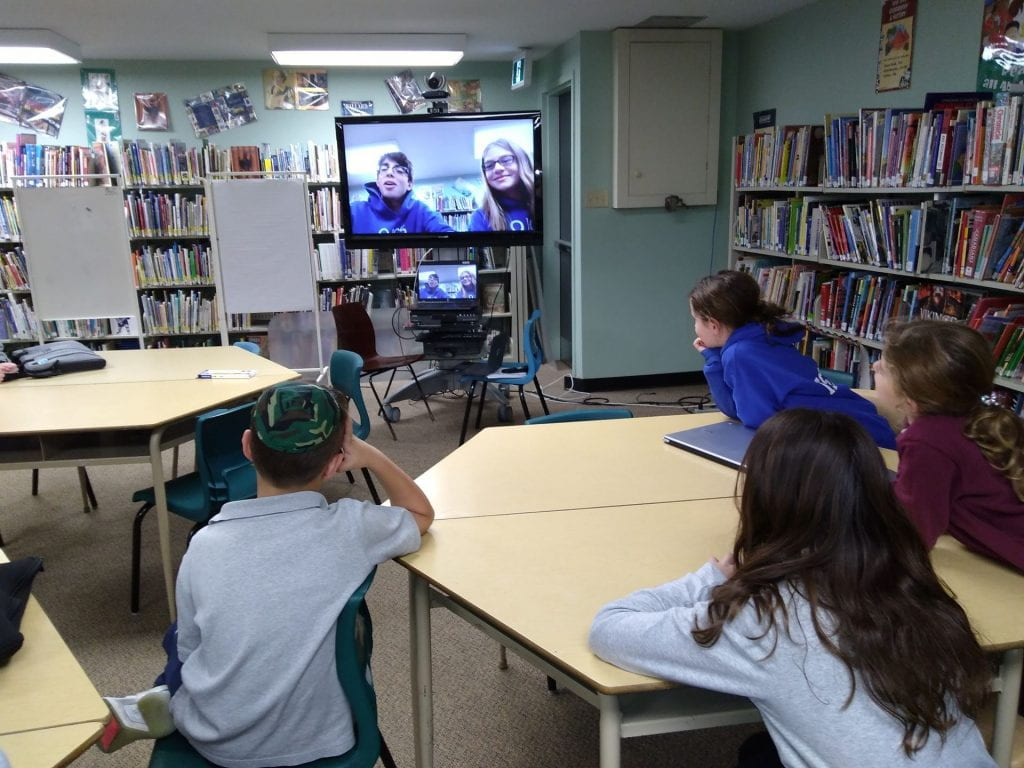
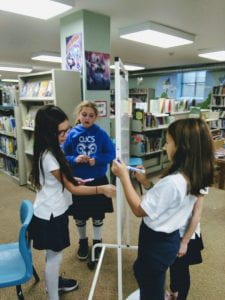
We first talked about the importance of being specific with our search terms.  Ari and Keira helped our grade 4s to get the idea with their tutorial.


Students were given a worksheet containing several long questions and asked to figure out what would be the most specific keywords to get the best results.  It was important for me to continually remind them that they don't need to type a question in Google to get results.

Sample Questions:
1. My dog is digging holes in the backyard.  Is that because they are looking for bones?
Specific keywords to get a clear answer: dog digging
2. My friend just cheated at chess, what are the rules?
Specific keywords to get a clear answer: chess rules or rules of chess


We then gave students a research question:
Are video games addictive?  Can they affect child behaviour?
Students had to come up with all of the possible keywords and keyword combinations (called a query) on a whiteboard that would yield great search results for a paper on the topic.


Some of those were;
video games and addiction
children and video games
child behaviour and video games
video games and emotions
children and addiction and video games
etc.. etc...

Asking students to practice these skills with a daily in-class question is a great way to give them practice in this more precise way of searching.  Through regular practice they will learn how to get meaningful results and this will improve the quality of their work overall.

Thursday, October 17, 2019

The Essentials of Research

Over the course of the past two weeks our middle schoolers have been working very hard to learn the following critical research skills;
  • Using the right keywords in a Google search to get the best results
  • How to effectively take notes
  • How to use in-text citation
  • How to create a bibliography
Students were asked to practice these skills in the form of a small assignment on the history of the microwave.  Some groups came back for a second session and practiced these skills with a series of exercises, and other groups made video tutorials to share with other middle schoolers.


Tuesday, May 7, 2019

You're Never Too Young to Start Thinking Critically

"Don't believe everything you hear" parents often scold their kids, and we are giving them the skills to do exactly that!  Grade 2 came for a visit to learn about how to use critical thinking and the 5 W's (who, what, when, where and why) when evaluating if information on a website is credible or not.


I was impressed at how quickly this group of grade 2s suspected that our website was indeed a fake (I guess it isn't that much of a surprise, their teacher is media savvy Ann-Lynn!)  Working through a checklist of questions, we investigated the credibility of the website as a group.


This group of students are already demonstrating that they are extremely capable of thinking critically and they will grow into students who won't be easily duped online.

Monday, November 5, 2018

Information Credibility

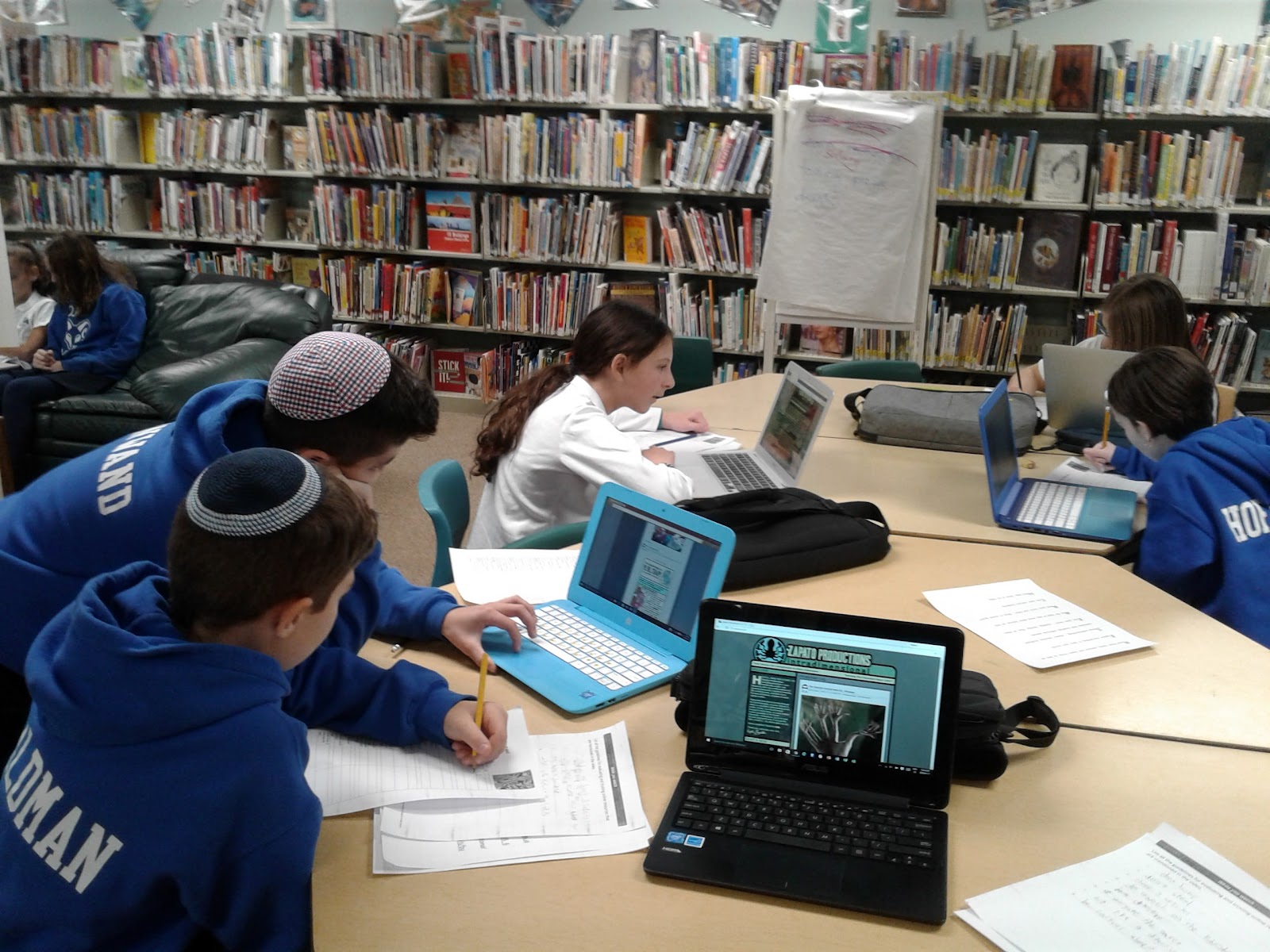
The library has kicked off this year's middle school research skills workshop series with a lesson on credible websites vs. non-credible websites and identifying fake news.  The students were asked to be detectives and jot down some of the ways you can identify which sites and articles are real and which are fakes.


Developing critical thinking is a skill that needs more attention than it gets.  Forbes reports that 75% of adults are fooled by fake news.

I had students looking at websites about explorers.  One of them was completely fake.  What I found interesting was that even information that seems very obviously ridiculous to an adult, such as a claim that Samuel de Champlain went to Disney World to celebrate winning 'Best Fort of the Year' from 'Better Forts and Ramparts Magazine', caused students to actually need to look up how long Disney World has been open because they weren't sure if this could actually be a possibility.
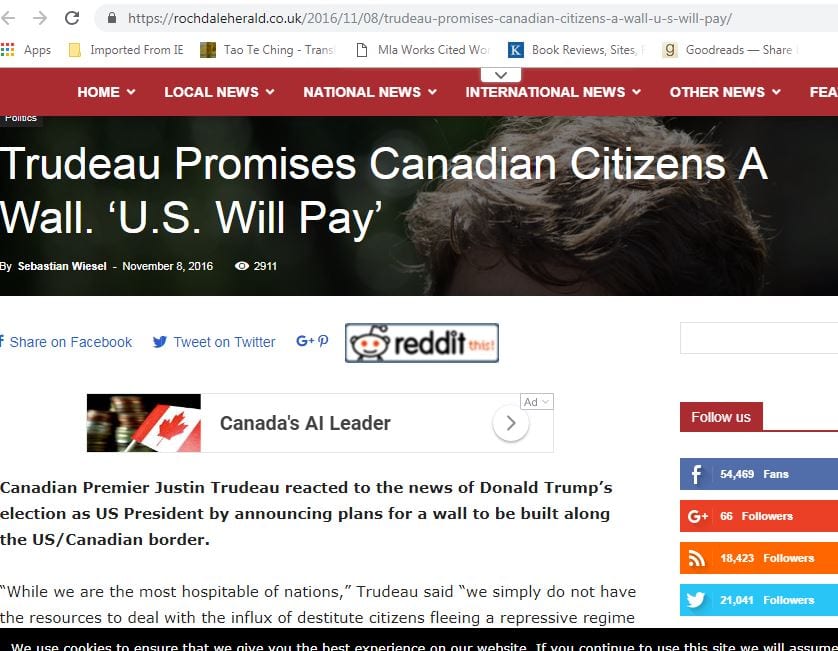
On our fake news exercise, some students weren't sure if Justin Trudeau was building a wall or not.  That is why it is so important to follow the rule of three and always compare three sources of information.


Is Justin Trudeau building a wall? The kids don't know!


These videos show a few clever teams who immediately went to the 'About' page on the news article or website they suspected was fake to learn more about the source.  It is important that they learn to look outside of the site to find out more as well.


I think it is also important not to take for granted when you are working with kids that something that seems very obvious to an adult is not very obvious to students in a time where when information is presented in a way that looks legitimate it is taken seriously.

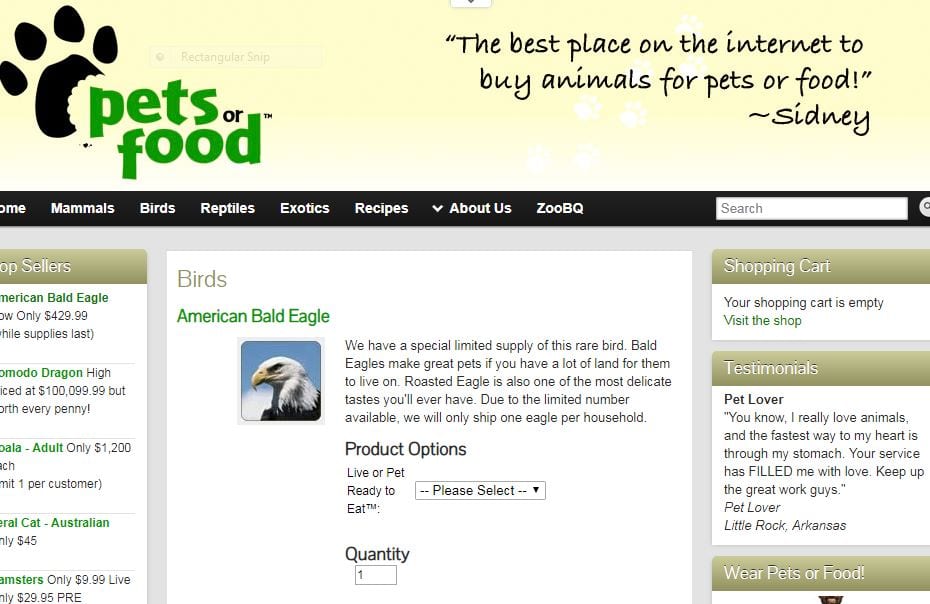
My favourite part of this activity was showing the students the fake website Pets or Food where you can buy exotic animals either alive or dead.  It is scary just how realistic this site is and that's what makes it such a great example.


I think we all had fun and it was very eye-opening; from my perspective as an observer of this exercise to see how much work we need to do, and their perspective when they came to see how easily they could be duped.  This workshop series will tie in nicely to future topics such as being safe online.

Tuesday, February 27, 2018

Grade 7 and 8 - Comprehensive Research Skills Workshop


These two workshops with Rabbi Rottenberg’s 7 and 8s were the most intensive of the lot and covered it all, from exercises on forming effective queries in search engines, to learning proper MLA bibliography format, to examine credible and non-credible sites in research.  


We parsed some searches to find out which keywords were critical and which were not necessary to our search.

This exercise was based on a great Google Searching workshop that is available free online.

Picking the Right Search Terms

We worked on creating effective queries for many interesting questions.


Grade 8 had the toughest job, not only did they have to create a mini-bio on the celebrity of their choosing, they had to critically examine the sites they were using as they were going.  The results were both entertaining and encouraging as students started fitting together key concepts.


Overall these workshops have been incredibly rewarding for me and I hope to hear that the result of these workshops is that kids are handing in much better quality assignments and choosing their sources much more critically.